
How I "Recovered" Lost Source Code Using Codex in 5 Days
I wrote an Electron drawing program years ago, but I lost the source code, leaving only a compiled version.
I thought about rewriting it, but I dreaded the idea of recreating all those details from scratch. After reading OpenAI's blog post "Building the Sora Android App with Codex in 28 Days" (https://baoyu.io/blog/sora-android-85-ai-code-development-method), I suddenly had an idea: Since the compiled code is still there, could I use Codex to help me "reverse engineer" the source code?
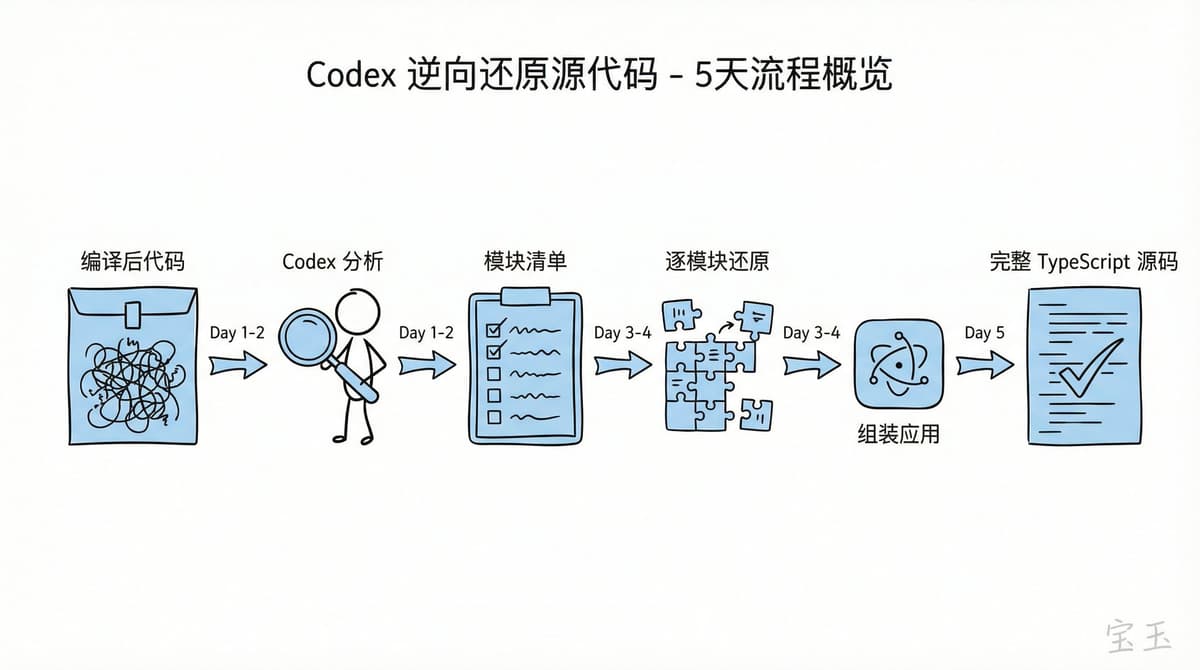
Five days later, I had a working TypeScript source code.
Digging Out the Module Structure from Obfuscated Code
After an Electron app is packaged, the code is compressed into an asar file. The first step was to have Codex extract the js and css files from it.
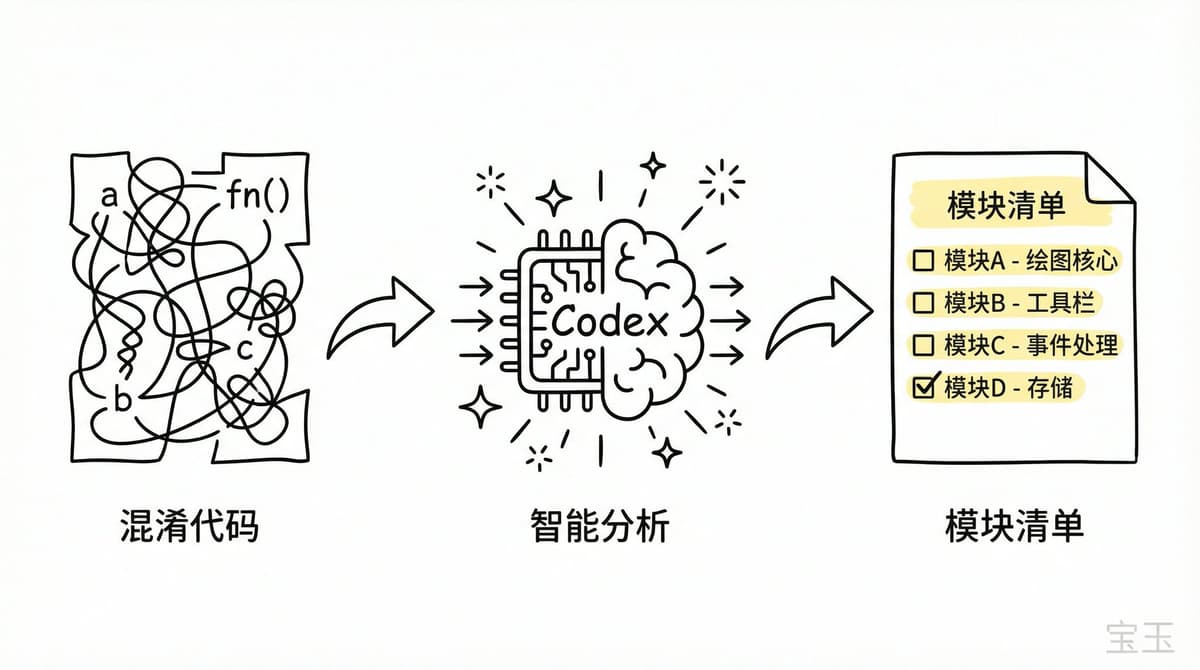
The extracted js code was compiled and obfuscated, with variable names all being a, b, c, and the function call chains were a complete mess. It was dizzying for a human to look at, but for Codex, it was just another piece of code.
I asked Codex to analyze the main js file and organize the list of modules within it. It actually did it. Although the original module names were lost, based on the code structure and functional logic, it restored a fairly complete module list.
With this list, I had Codex formulate a restoration plan: restore each module from the obfuscated JavaScript into readable TypeScript code. The list became a checklist, with a checkmark for each completed module.
The First Pitfall: Codex Was Too Eager to "Prove Itself"
At the beginning of the restoration, I encountered a problem.
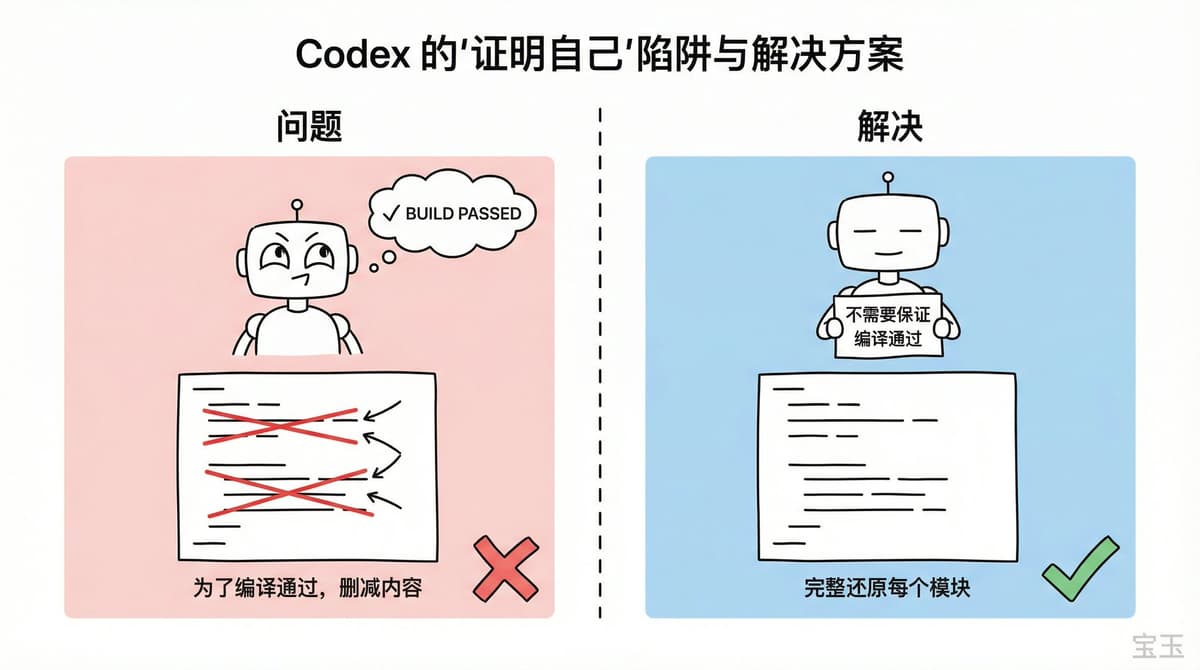
Codex has an obsession: it really wants to verify that the generated code can run. To make the code pass the build, it would quietly delete content, skipping parts it deemed "unnecessary for the time being."
This is a good habit for writing new code, but it's a disaster for restoring old code. What I needed was a complete restoration, not the minimal subset that could compile.
The solution was simple. I added a strong rule in AGENT.md:
"Just restore the modules one by one; there's no need to ensure the code compiles."
This one line changed everything. Codex stopped worrying about compilation errors and started faithfully restoring one module at a time.
The Second Pitfall: When Context Is Full, Memory Is Lost
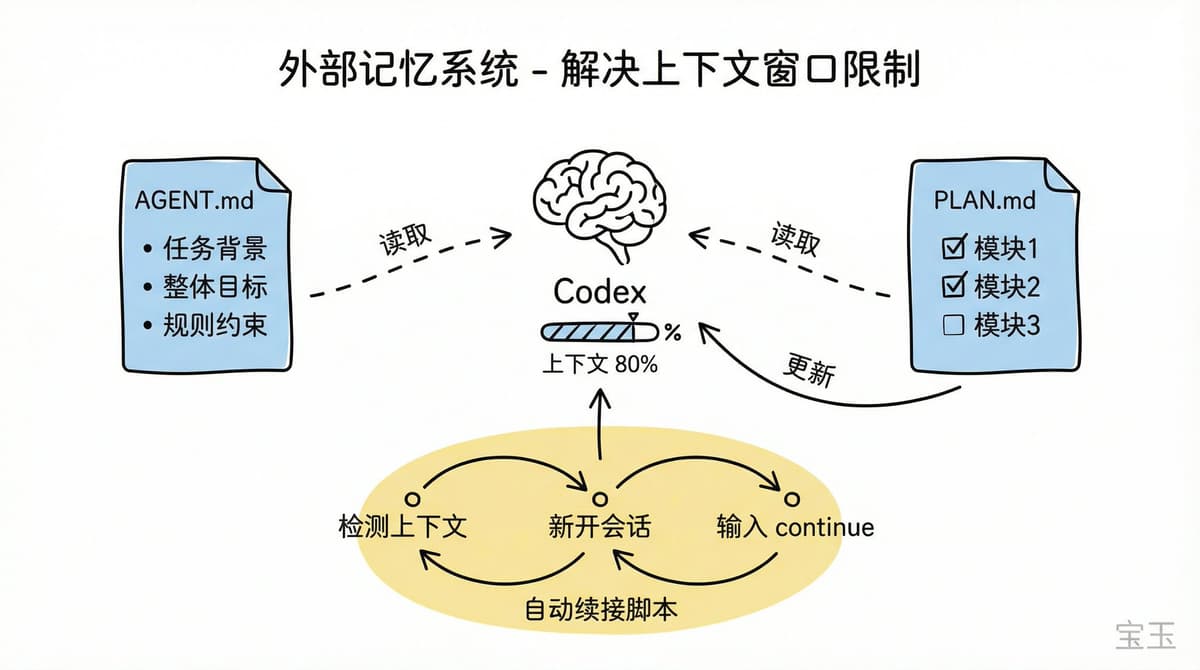
Codex's context window is limited. The early version would stop after reaching a certain point, and I had to keep typing "continue." Starting a new session meant I had to reintroduce the task background.
My solution was to establish an "external memory" system:
This way, each new session only required typing "continue," and Codex would automatically read the progress and continue working from where it left off.
Later, I was too lazy to even manually start new sessions. I had Codex write a script for me that periodically checked if the context was nearing its limit, automatically started a new session, and typed "continue."
So I just watched it run on its own. After a while, I'd check the progress, and a few more modules would be done.
Assembling the Fragments into a Complete Application
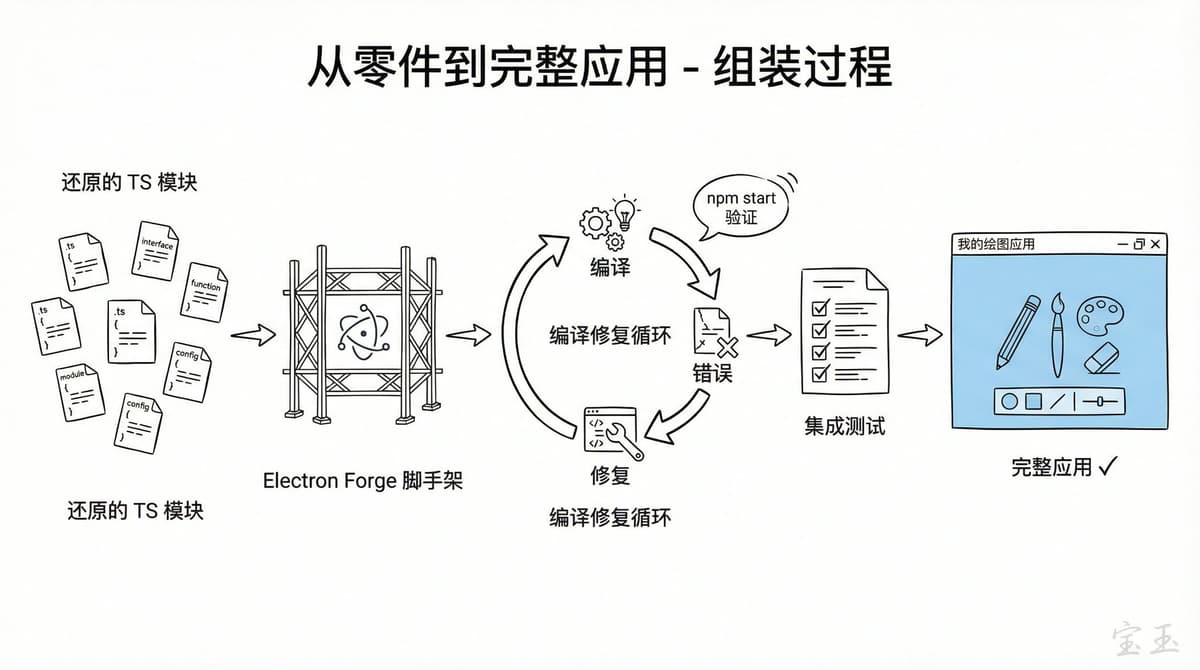
A few days later, all modules were restored into TypeScript files. But these were still just a pile of scattered parts.
The next step was to assemble them into a truly runnable Electron application. I had Codex create a new project using the Electron Forge scaffold and then placed the restored code into it.
At this point, I rewrote AGENT.md and PLAN.md, instructing Codex on how to compile and test, and then used the same routine: automatic new session, continue, update PLAN.
I watched as Codex continuously fixed compilation errors. It would verify the logic in the original compiled code, run the app with npm start to check the effect, fix any issues it found, and then move on to the next one.
Once the modules could basically compile, Codex and I wrote integration tests together, covering several major usage flows. After writing the tests, it was the same cycle again: let it generate code, run tests, and fix problems.
Five Days Later
By the end of the fifth day, I had an Electron application with complete source code that ran normally.
Saying it was a "perfect restoration" would be an exaggeration. There were still some minor bugs during runtime, and some edge-case behaviors were slightly different from the original. But the main features were all there, the overall structure was clear, and most importantly, I could finally modify the code again.
What I Learned
Many people say Codex doesn't need an external loop mechanism. I think that's wrong.
For long tasks, Codex needs a plugin similar to ralph-loop. Otherwise, you have to do what I did: write your own script to periodically start new sessions and type "continue." This should clearly be a built-in feature.
A few lessons:
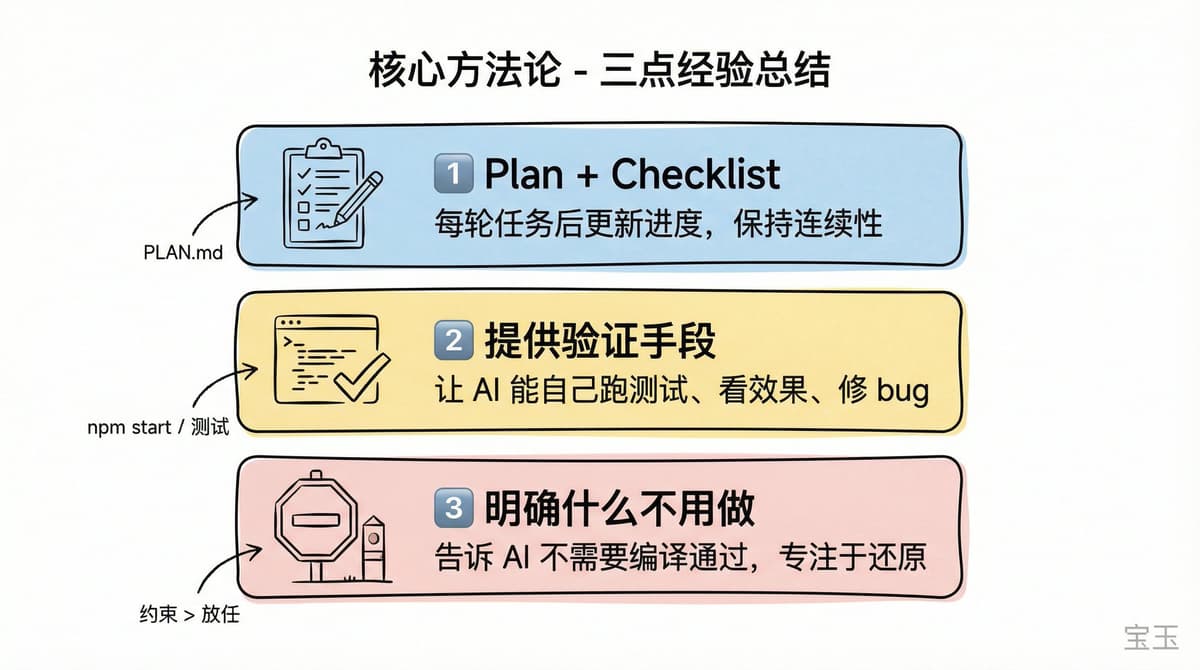
npm start to see the effects and run tests to see the results. Without verification means, Codex can only write blindly.OpenAI's blog post talks about using Codex to build a production-level application from scratch in 28 days. My story is the opposite: using Codex to "reverse engineer" an application with lost source code back into source code in 5 days.
The direction is different, but the core methodology is the same: treat Codex as a highly capable teammate who needs clear instructions, establish an external memory system to maintain continuity, and provide verification means so it can self-correct.